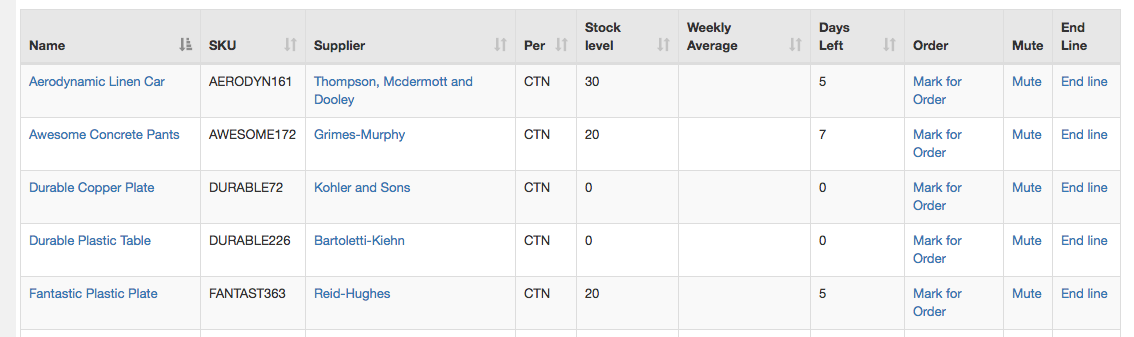
Help: Inventory Predicted Low Stock
How many days left an inventory item has is calculated nightly.
Based on average weekly sales over the past 60 days they system will try to predict how many days left before you will run out for that item.
You can specify the number of days for the report.
You have 3 main actions that you can take to remove an item from this list.
- Mark for Order: This will enter the item under the 'Marked for Order' section in Purchase Orders.
- Mute: This stop the item from appearing in any of the Low stock alert lists for 7 days. It will be unmuted after 7 days.
- End Line: If you no longer plan to order this item and are selling the stock out, then mark it as End of line.
Items won't appear on this list if they are:
- Part of a pending Purchase Order.
- 'Marked for order'.
- 'Muted' - Muted items don't appear in any of the Low stock alert lists.
- 'End of Line' - End of Line means you no longer plan to stock the item after sold out.
Note: Muted items are Unmuted after 7 days.