Help: Inventory Adjustment
To adjust Inventory stock levels, click on "Inventory" on the left hand side and then click "Adjustment"
Now select the Inventory Item you wish to adjust.
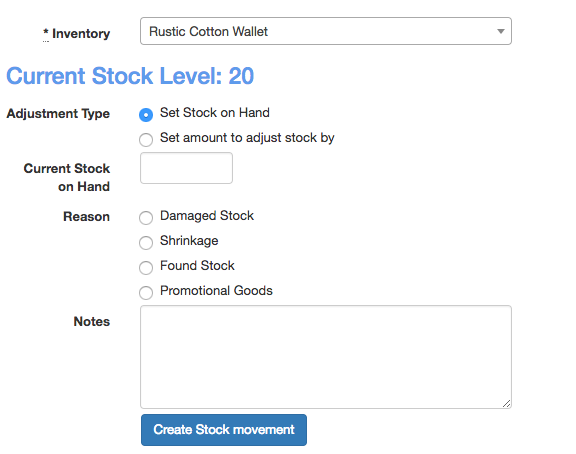
- Set to either "Stock on Hand" or "Amount to adjust stock by"
- Set the stock on hand or adjust by amount. (used a negative number to remove stock
- Set the reason
- Add any notes for you to refer back to.
Click the "Create Stock movement" to have the stock adjusted and taken back to the adjustment page to select another item to adjust.
