Help: Add a new customer
To add a new customer, click on "Customers" on the left hand side and then click "New Customer"

Now add the customer details:
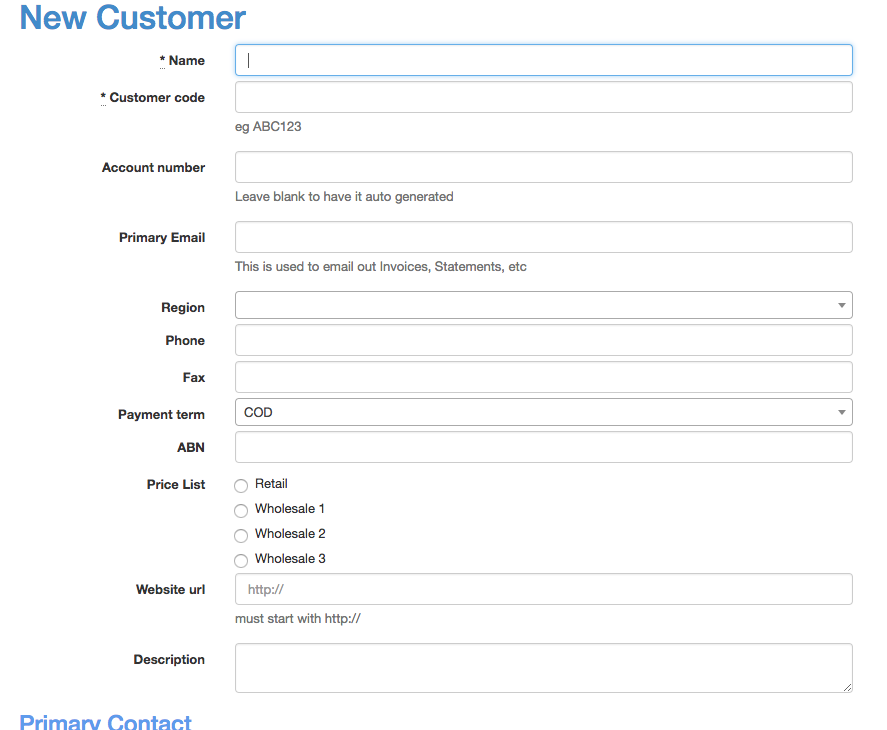
- Customer Code - This is a unique internal code you use to reference the customer
- Primary Email - Customer statements are sent to the primary email.
- Region - You can add more regions on the regions tab. If you are missing a region, finish filling out the form and then add a region and then edit the customer again to set the region.

Payment Terms - these are set under settings. Only the account owner can edit payment terms.
Price List - there are 4 types of price lists. Typically you would use one of the wholesale pricing options for the majority of your customers.
Primary Contact and Primary Address
Specify an address and contact details. You can leave the primary contact empty, though this is for identifying who at the company you are dealing with.

Now click on "Create Customer" to create your customer.
